Instructions for using the Manual Checkout Machine
1
Open/Close the tills
Inside the tills, locate a grey panel with 2 buttons.Press the Power dark button to activate the till; the LED light will turn red, and the lane light will turn green.The Lane Close sign will automatically be removed once powered on.(Note: If you want to serve the next customer, press the Next Customer Please! yellow button and the light will be made.)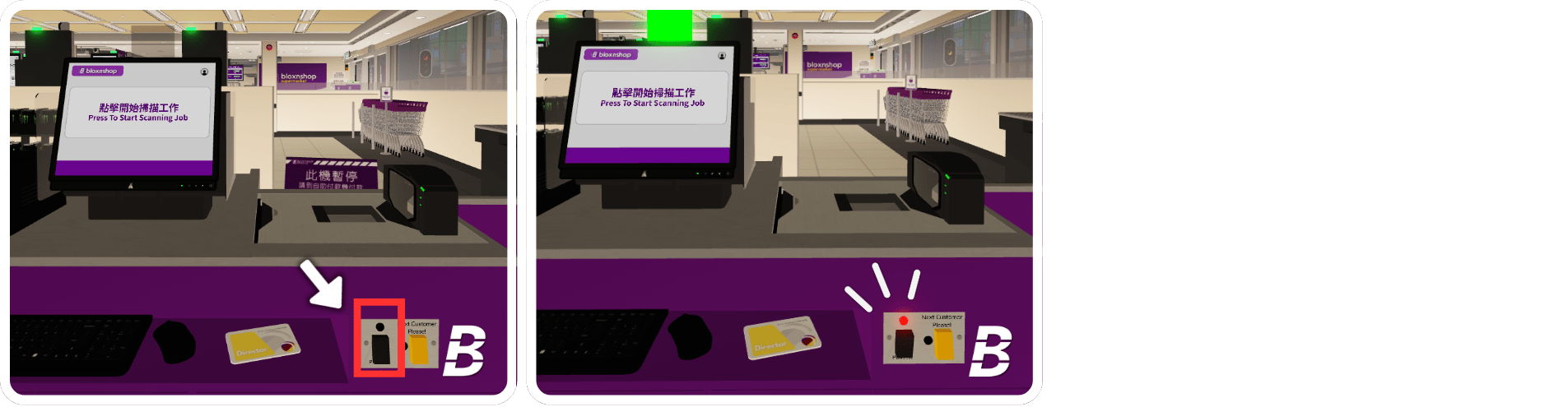
2
Login
When the Manual Checkout Machine is logged off, please press Store Login, then scan your Operator Barcode.

3
Start the Scanning Job
Here is the main screen of the Manual Payment Machine. You should instruct the customer to scan their products.
4
Payment
Once the items are scanned, the screen will display the item names. After finishing the scanning process, press Finish & Pay.To void the customer’s transaction, press Void Order and click Yes.
5
Payment Option
You should instruct the customer to choose the payment options and complete the process.
6
Completion
Once payment is successful, the screen will show Completed The Scanning Job. The receipt will be automatically printed for customers. You should bid farewell to the customer after completing the payment process.
7
Logoff
After finishing your duty, please log off the manual checkout machine and close the tills. Press AUTH, scan your operator barcode, and then press Close Lane.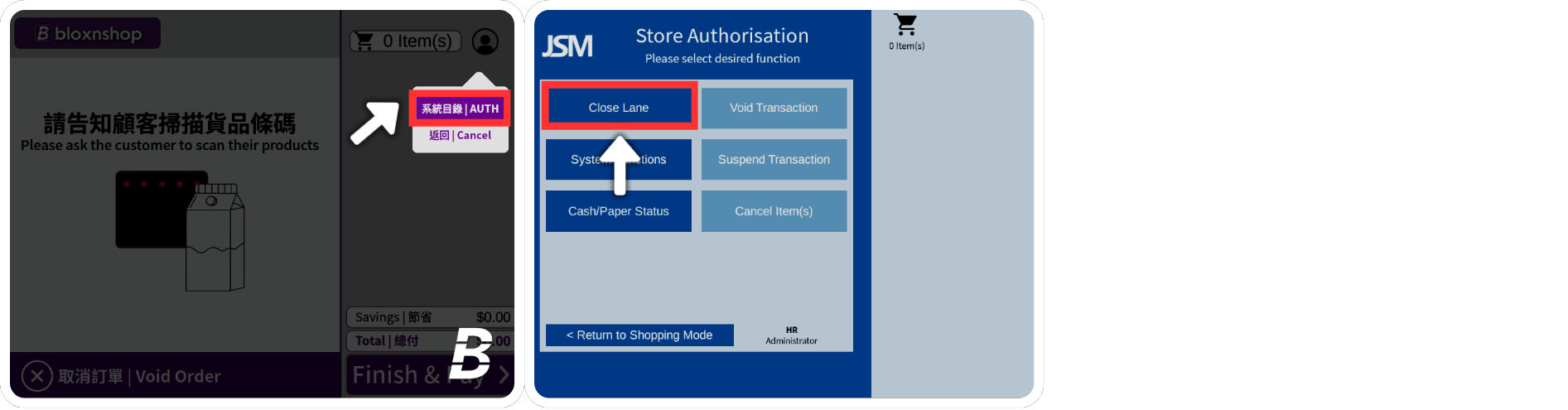
Instructions for Voiding an Order at the Self-Service Checkout
When the customer requests to clear all items / No one is operating the Self-Service Checkouts, press the Void Order button.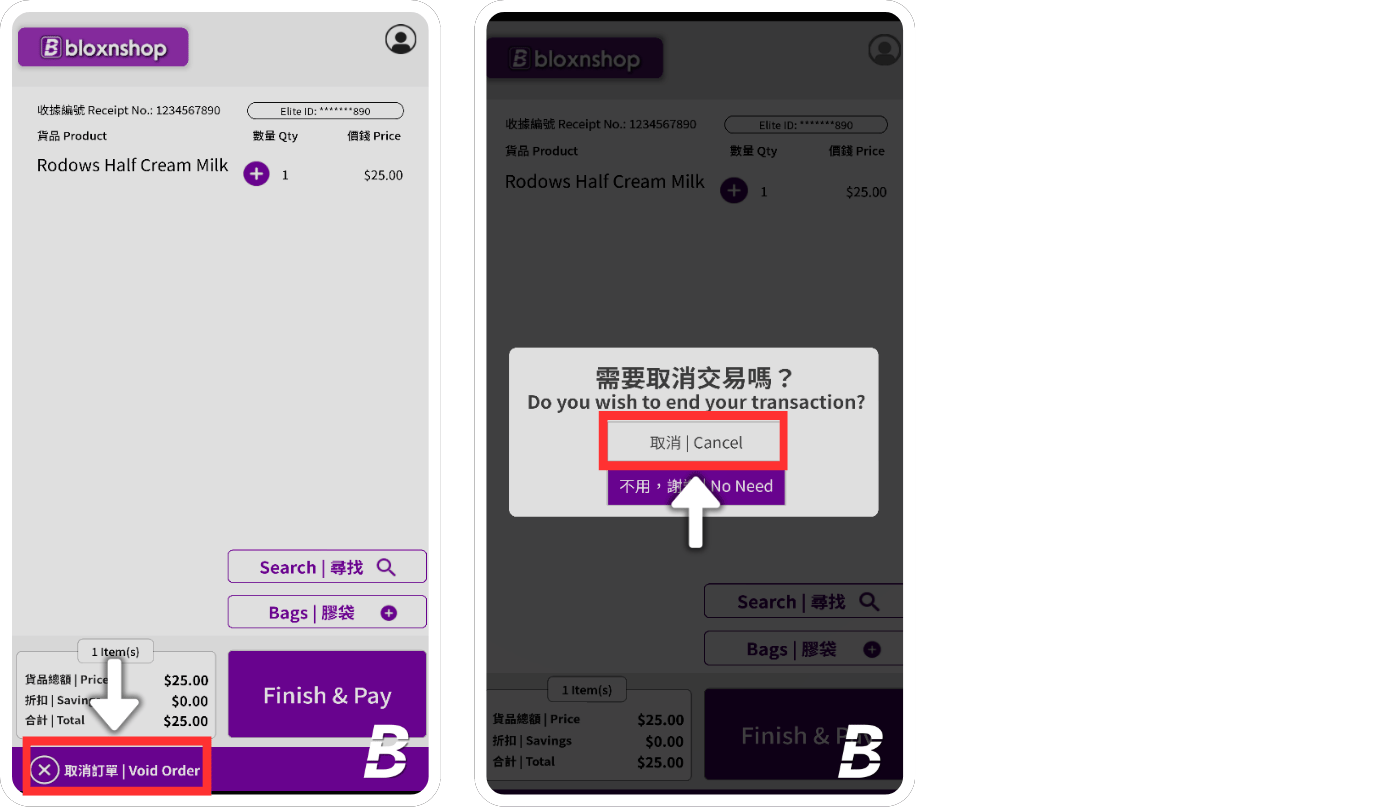
Instructions for Responding to the Monitoring System
1
Response
If the EAS Security Gate’s bell rings, it indicates that an item has been stolen. To respond to the monitoring system, press the “Respond” button on the keypad.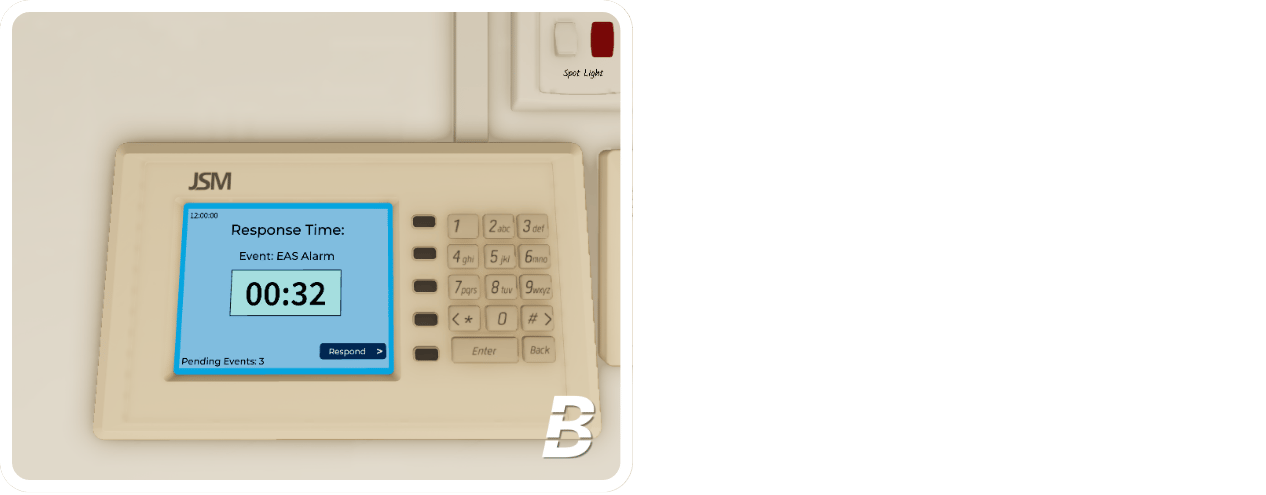
2
Login
Scan your operator barcode located in the bottom left corner of the monitoring pad.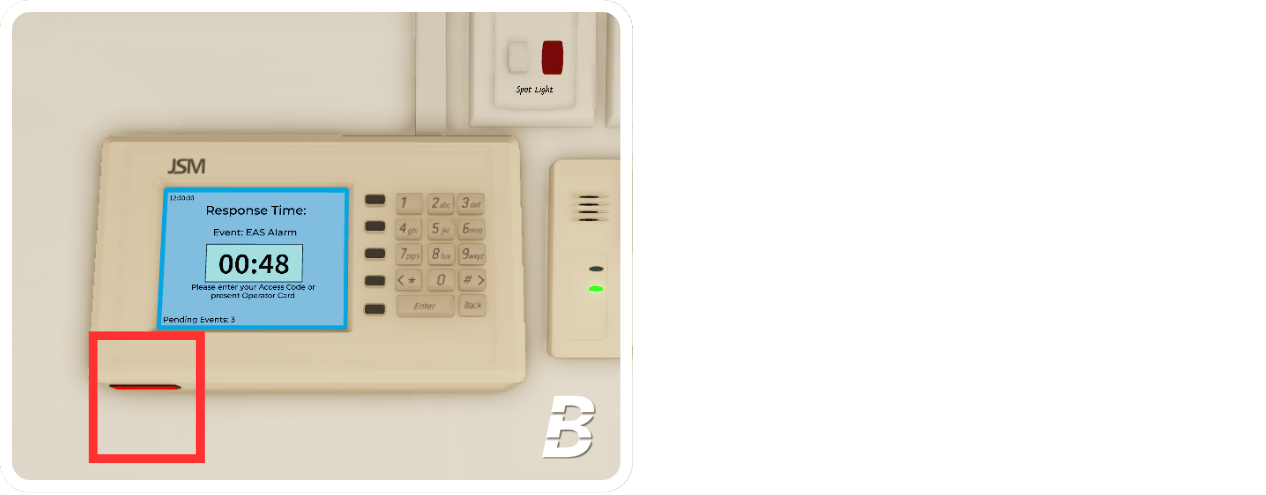
3
Select Reason
Select the Reason Code on the keypad.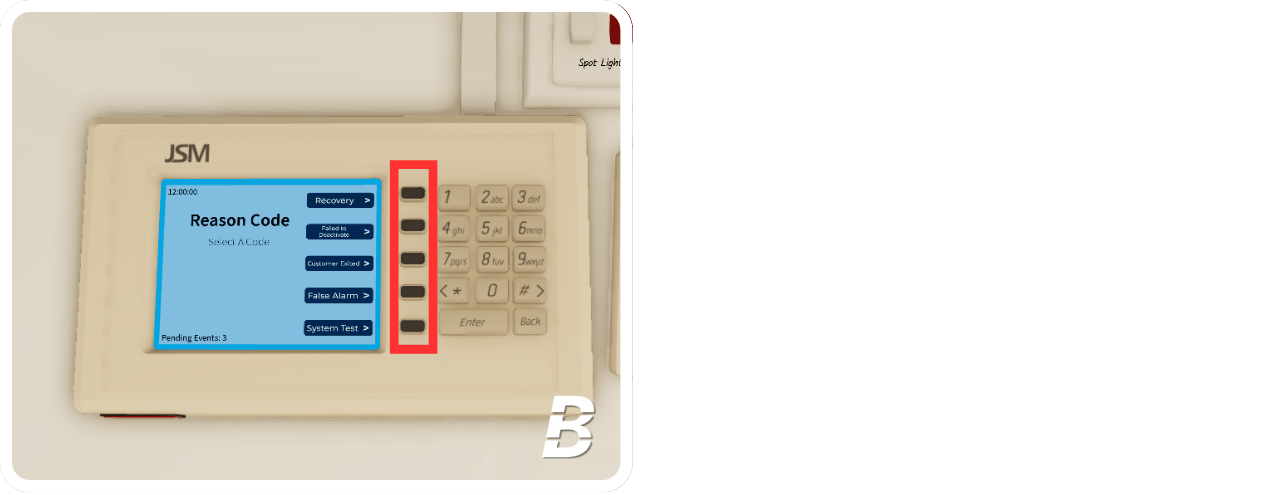
4
Completion
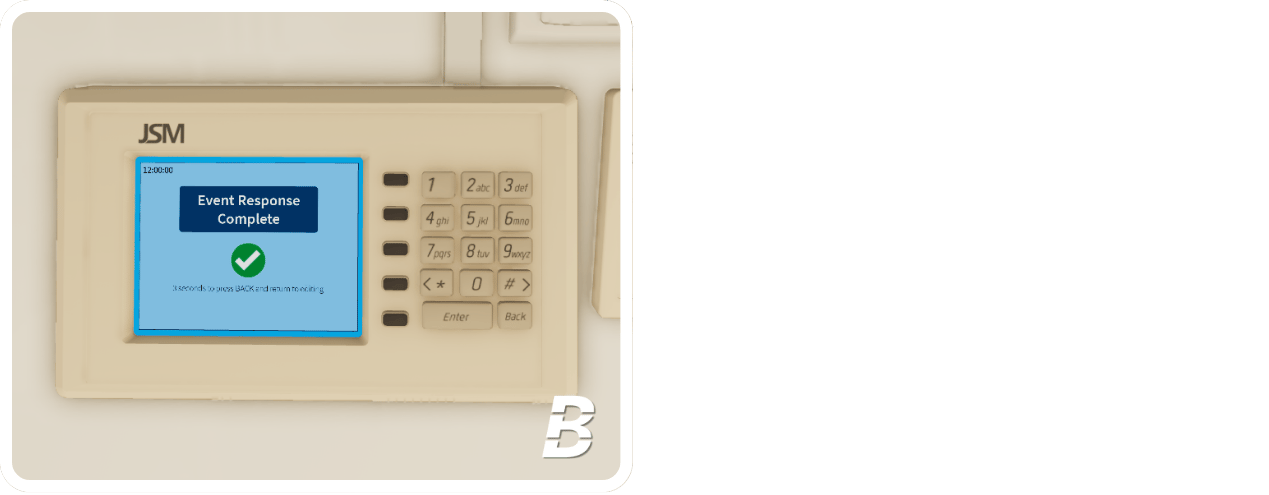
The screen will display “Event Response Complete” after selecting the Reason Code. You have responded to the monitoring system.