> ## Documentation Index
> Fetch the complete documentation index at: https://bloxnshop.mintlify.site/llms.txt
> Use this file to discover all available pages before exploring further.
# 5.4 | Instructions for Security Duty
> These instructions are suitable for all security.
To promote security, please use **300 Points** to purchase the Promotion Point System.
## Instructions for using the cuff system
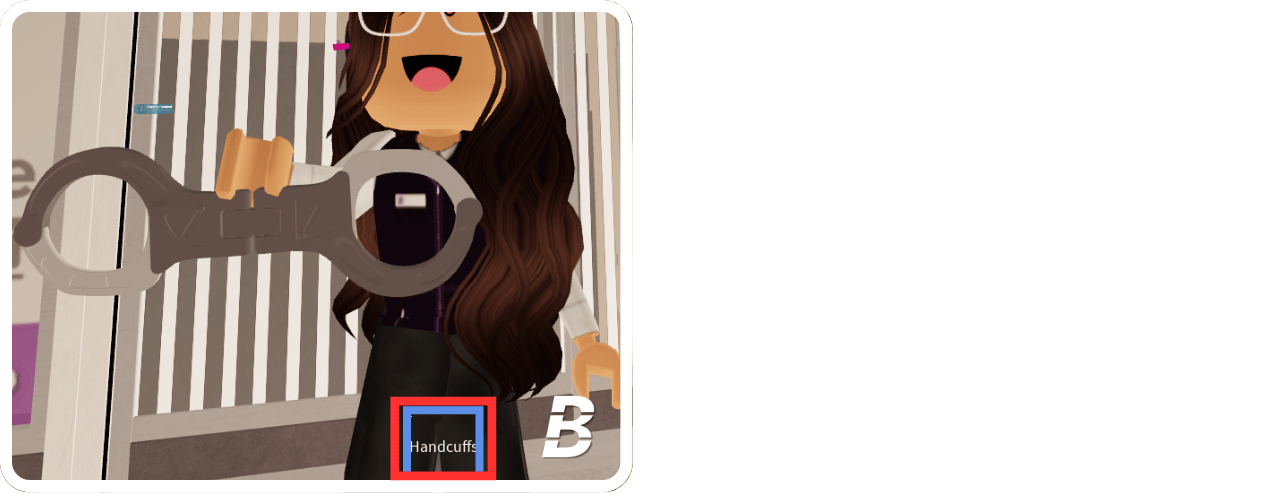
The handcuff is already in your inventory. Press your inventory to equip it.
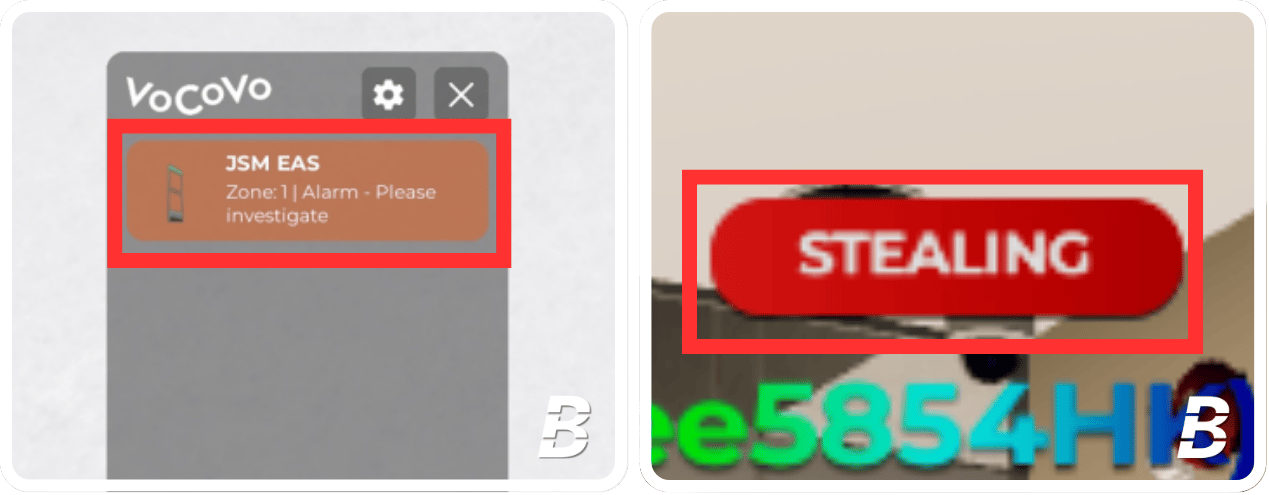
 When customers leave the store and the EAS Gate sounds and the customer's nametag shows "STEALING," they are considered to be a thief.
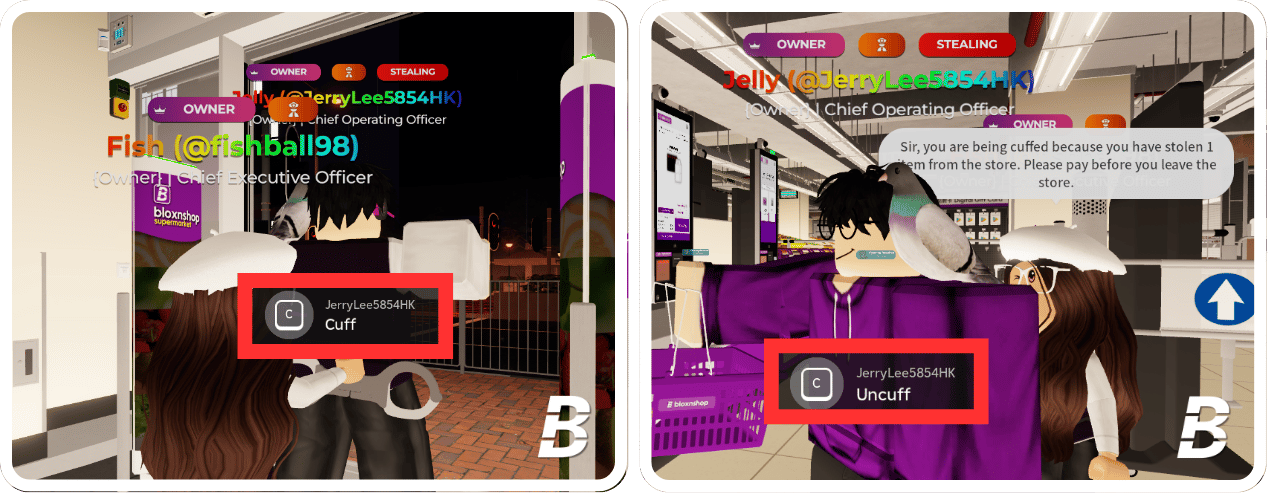
 When you identify a thief, equip your handcuff and cuff them by pressing **"C"**. Bring them back to the cashier **self-service checkout area** and uncuff them by pressing **"C"** again.
You **must inform** the stealers that they need to **pay before leaving the store**.
If necessary, specify the number of products they stole using the [Inventory Search Tool](https://bloxnshop.gitbook.io/docs/staff/5-or-instructions-of-duty/5.4-or-instructions-for-security-duty#instructions-for-using-the-inventory-search-tool). If they are using a basket or trolley, instruct them to unload the items for payment.
When you identify a thief, equip your handcuff and cuff them by pressing **"C"**. Bring them back to the cashier **self-service checkout area** and uncuff them by pressing **"C"** again.
You **must inform** the stealers that they need to **pay before leaving the store**.
If necessary, specify the number of products they stole using the [Inventory Search Tool](https://bloxnshop.gitbook.io/docs/staff/5-or-instructions-of-duty/5.4-or-instructions-for-security-duty#instructions-for-using-the-inventory-search-tool). If they are using a basket or trolley, instruct them to unload the items for payment.
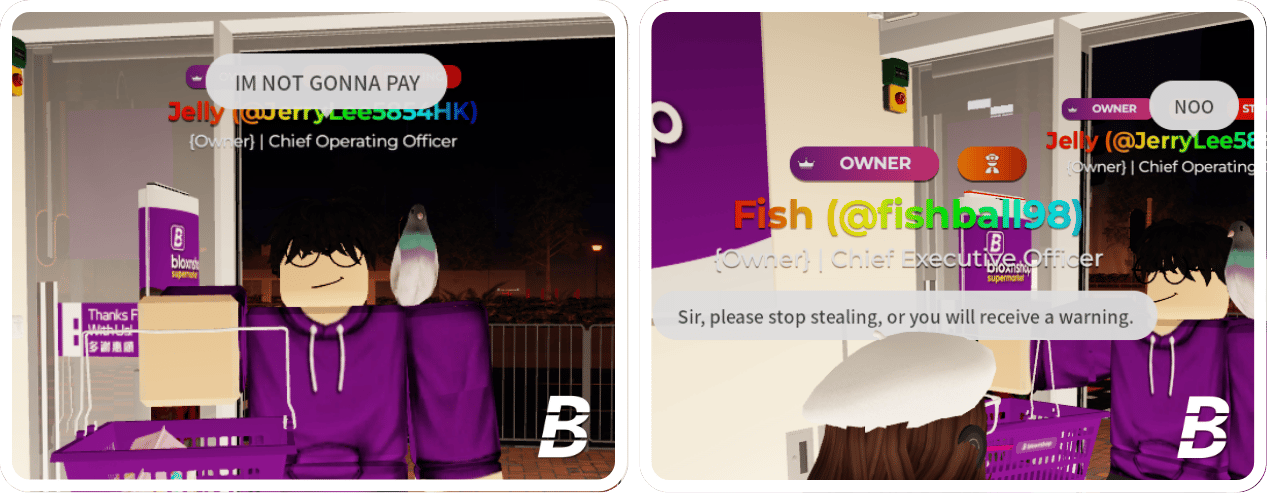
 If the thief continues to steal items or trolling the EAS Gate, issue a informal warning to stop. If the behavior continues, please issue a formal warning.
For more information on moderation, please refer to [2 | Moderation Guide](/staffinformation/moderation-guide).
If the thief continues to steal items or trolling the EAS Gate, issue a informal warning to stop. If the behavior continues, please issue a formal warning.
For more information on moderation, please refer to [2 | Moderation Guide](/staffinformation/moderation-guide).
 ***
## Instructions for using the Inventory Search Tool
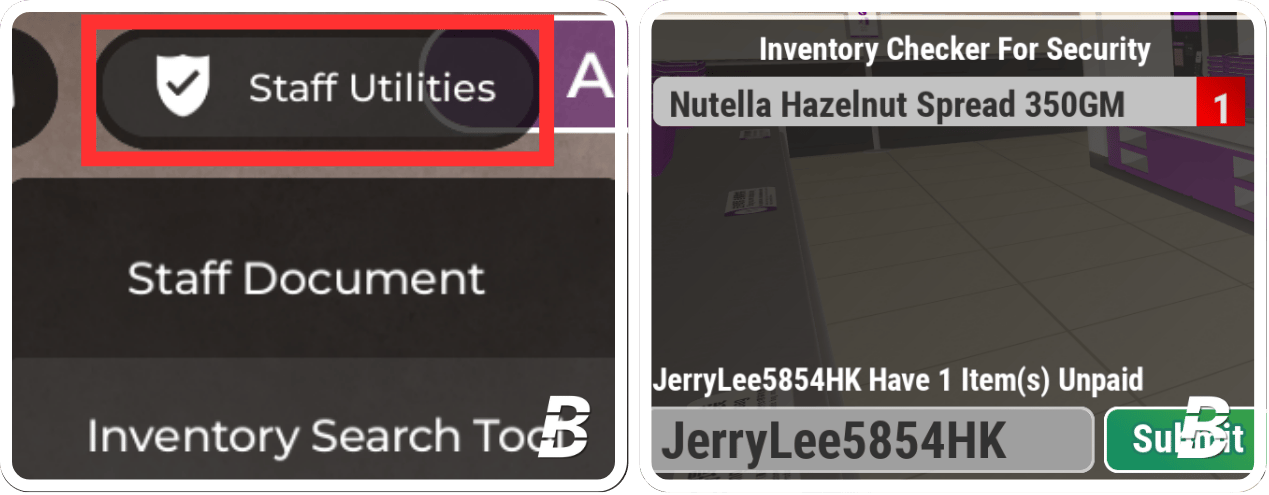
To check the number or names of items that the thief has stolen, you may use the Inventory Search Tool.
The "Inventory Search Tool" is already in your inventory. Press your inventory to equip it.
Enter the thief's username or display name to view all relevant details.
***
## Instructions for using the Inventory Search Tool
To check the number or names of items that the thief has stolen, you may use the Inventory Search Tool.
The "Inventory Search Tool" is already in your inventory. Press your inventory to equip it.
Enter the thief's username or display name to view all relevant details.
 ***
## Reminder
Please note that all cuffs and warnings will be recorded. Adhere to the [1 | Staff of Conduct](/staffinformation/staff-code-of-conduct) and the [2 | Moderation Guide](/staffinformation/moderation-guide) when dealing with stealers. If you issue a warning a customer without a valid reason, or if it is done intentionally, you may receive a warning, demotion, or risk being blacklisted, depending on the severity of the action.
***
## Reminder
Please note that all cuffs and warnings will be recorded. Adhere to the [1 | Staff of Conduct](/staffinformation/staff-code-of-conduct) and the [2 | Moderation Guide](/staffinformation/moderation-guide) when dealing with stealers. If you issue a warning a customer without a valid reason, or if it is done intentionally, you may receive a warning, demotion, or risk being blacklisted, depending on the severity of the action.